Phone Cases
Chargers and Cables
Gaming
Gadgets
Tablet and iPad Cases
Your Account
Language
Business
Phone Data
Contact Us
4.0 Google Shopping Rating Over 2 million customers since 2013 C$4.99 Worldwide Delivery Free delivery order over C$20+

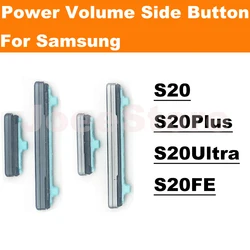
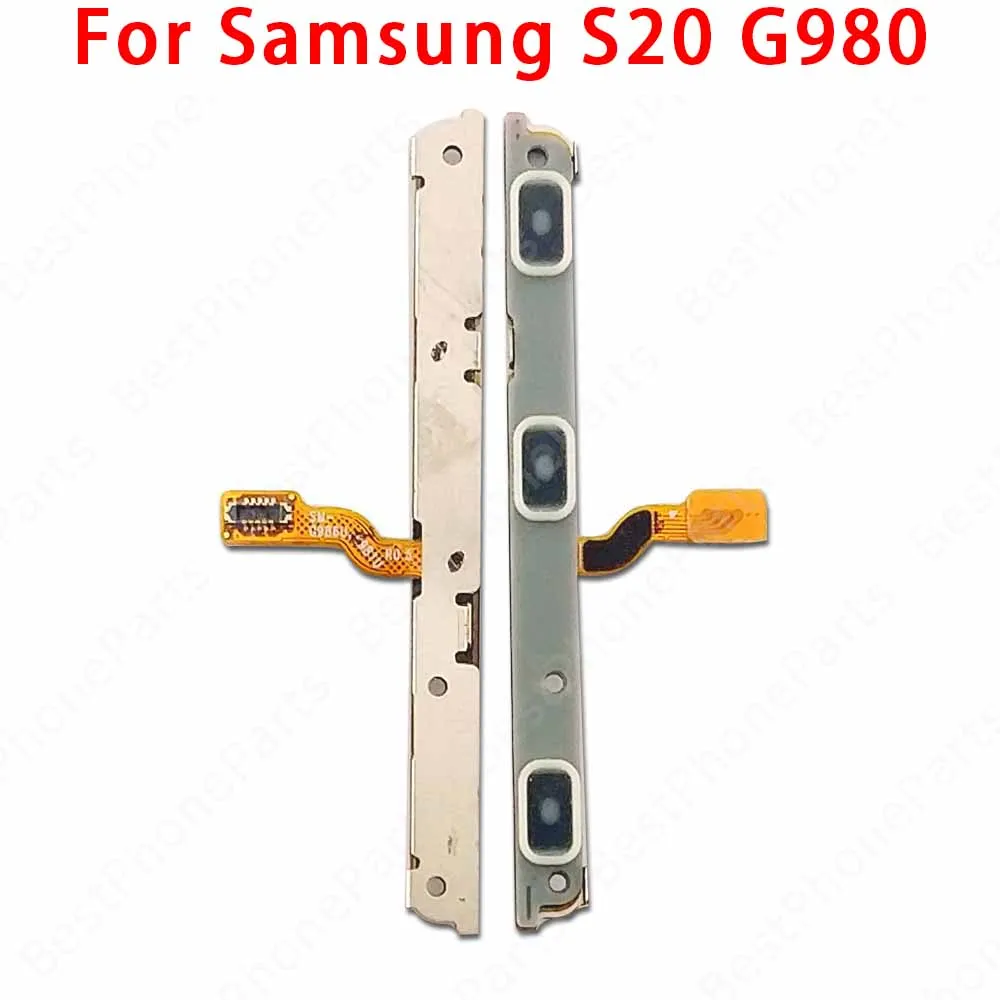
Side Button Switch Volume and Power Flex Cable Replacement Parts (S20 Ultra G988B)

Side Button Switch Volume and Power Flex Cable Replacement Parts
Colour: S20 Ultra G988B
S20 5G G981 S20 FE 5G G781 S20 FE G780 S20 G980 S20 Plus 5G G986 S20 Plus G985 S20 Ultra 5G G988 S20 Ultra G988B S21 5G G991 S21 FE 5G G990 S21 Plus 5G G996 S21 Ultra 5G G998

Upgrade Your Samsung Galaxy Experience with Quality Replacement Parts

🔘 Introducing the Power & Volume Button Flex Cable for the Samsung Galaxy S20, S21 Ultra, FE, S20+, S21+, and 5G models (G780, G781, G990). This essential component is meticulously crafted to restore full functionality to your device, ensuring that your power and volume buttons operate smoothly.

🏆 Quality Assurance: Each flex cable is 100% original and undergoes rigorous testing before shipment to guarantee that you receive a reliable product. You can trust that our parts will meet the highest standards of performance and durability.

🔘 Installation Guide: To assist you in replacing the Power & Volume Button Flex Cable, we provide a comprehensive installation guide designed for users of all skill levels:

  • Prepare Your Tools: Gather essential tools such as screwdrivers, tweezers, and pry tools to ensure a smooth installation process.
  • Remove the Phone Case: Carefully detach the phone case with your tools. Use gentle pressure to avoid causing damage to your device.
  • Locate the Flex Cable Connectors: Identify the connectors on the motherboard where the flex cable connects, usually found on the main circuit board.
  • Disconnect the Old Cable: Carefully unplug the existing flex cable, taking care to avoid tugging too forcefully to prevent damage.
  • Clean the Connector Area: Utilize a clean cloth or cotton swabs to remove any dust or debris from the connector site, ensuring a solid connection for the new cable.
  • Install the New Flex Cable: Connect the new Power & Volume Button Flex Cable securely to the original connector, ensuring it is fully seated.
  • Reassemble Your Device: Put your phone back together, following the disassembly steps in reverse order, and ensure everything fits snugly.
  • Test Functionality: Power on your device and check the functionality of both the power and volume buttons. If issues arise, revisit your connections to ensure they are correct.

🔒 Important Considerations: Repairing your phone requires patience and precision. If you're uncertain about any steps, we recommend consulting a professional technician to avoid potential damage to your device. Equip yourself with the right tools and take your time for the best results!

🔘 Invest in quality and bring your Samsung Galaxy device back to life with our reliable Power & Volume Button Flex Cable replacement. Experience the ease of functionality once again!

C$17.99 In Stock
Quantity:
Colour: S20 Ultra G988B

Delivery Sunday, 25th October - Tuesday, 27th October
C$10.00 On time delivery guarantee

If this item arrives after the delivery date given at checkout, you will be emailed a C$10.00 credit voucher to use on your next order
Why choose SDTEK?
Over 2 million customers since 2013
4.0 Google Shopping Rating
Great Trustpilot Rating
Fast delivery worldwide
14 Day, easy returns
24 Hour customer services
Buying for your business?
Bulk discounts available on this product
See our quantity discounts and business pricing

Related items