Product Description:
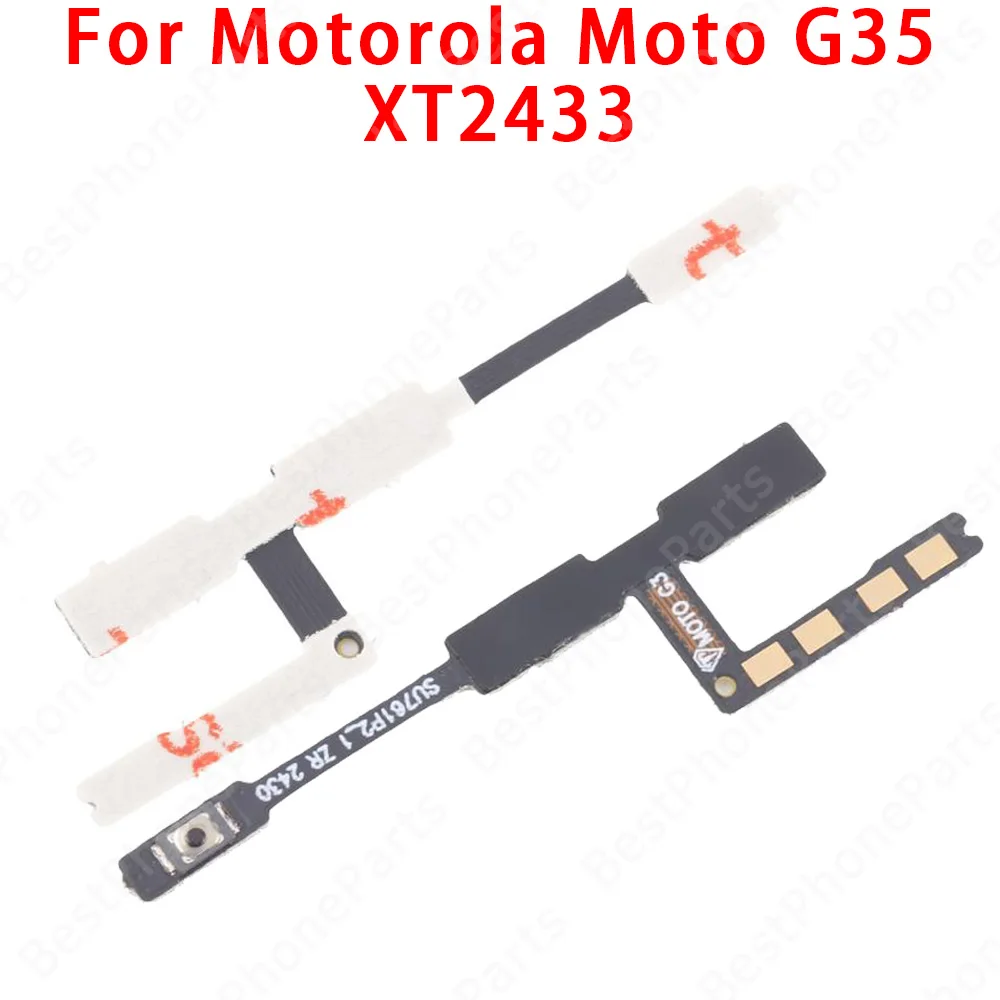
💎 Introducing the Side Button Switch Volume Key Off Power&Volume Button Flex Internal Cable, a premium replacement part designed specifically for select Motorola models including Moto G86, G56, G05, G15, G35, G75, and G 2025. This internal cable is essential for restoring functionality to the power and volume buttons of your device, ensuring a seamless user experience.
🔧 Features:
- 100% Authentic: Each cable is sourced directly from the manufacturer, guaranteeing originality and compatibility with your device.
- Rigorous Testing: Every item undergoes comprehensive testing to ensure peak performance before being shipped, providing peace of mind with your purchase.
- Precision Engineering: Designed to match the specific dimensions and electrical connections of your Motorola phone, facilitating a perfect fit for easy installation.
🎯 Installation Guide:
🔘 To successfully install your new Power&Volume Button Flex Cable, follow these detailed instructions:
- Gather Tools: Ensure you have the necessary tools on hand, including screwdrivers, tweezers, and other removal tools to aid in disassembling your phone.
- Remove the Phone Case: Carefully detach the phone case using your tools. Exercise caution during this step to prevent any damage to the device.
- Locate the Cable Connectors: Identify the connectors for the power and volume buttons on the motherboard. These are typically situated on the main circuit board.
- Disconnect the Old Cables: Gently unplug the existing cables from their connectors, ensuring not to exert excessive force that could harm the connectors.
- Clean the Connector: Use a soft cloth or cotton swab to clean the connector, removing any dust or debris that could interfere with the new cable connection.
- Install the New Cable: Carefully plug in the new Power&Volume Button Flex Cable, ensuring it is securely connected and not loose.
- Reassemble the Phone: Replace the phone’s case and reattach any components in the reverse order of disassembly, ensuring a tight fit to maintain device integrity.
- Test the Functionality: Power on the device and check the operation of the power and volume buttons. If issues persist, verify the cable connections and connector health.
🔒 Professional Advice:
🛠️ When undertaking mobile phone repairs, patience and precision are key. If you encounter uncertainty during installation, consider consulting a professional technician to avoid potential damage to your device.